- electrical
- knowlege-backup
- home improvement
- iot
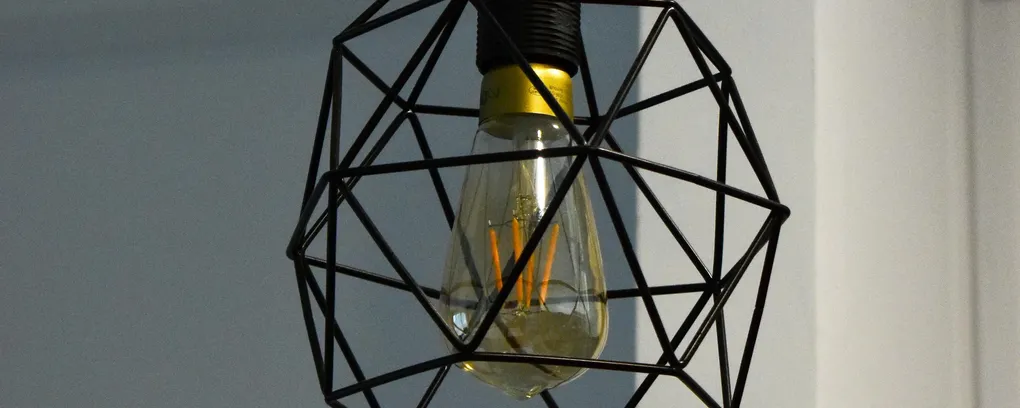
This fall, we did some updates to our dining room. Along with adding a fun fake brick wall to a closet we repurposed for a dry bar, we replaced our lighting with much brighter lights.
The wiring in the room had a two way switch for one of the lights with an outlet in between. This outlet was not in a great place for lights or really any device you might want to control with a switch. In fact the main purpose we put it to was vacuuming. Regardless we do not use the outlet much, but we also wanted a dimmer. Installing a dimmer switch with a standard 110V outlet downstream will damage either the equipment or the switch.
So my ideal scenario was that we would wire the outlet directly to mains bypassing the switch. The existing wiring made this impossible without opening walls. Not a project I was interested in starting, but maybe one day.
After some brainstorming I realized that having Home Assistant could give me a solution.
- I installed a Shelly Dimmer 2 behind the light fixture. This allowed me to control the on/off state of the light and dim it through Home Assistant.
- Next I installed new Zigbee compatible switches, but I left the load disconnected. Instead I wired the hot wire directly from the main to both the outlet and switch load wires, keeping both always powered. This meant the outlet was always powered as was the Shelly Dimmer.
- Finally, I created new Home Assistant automations that mirrored the state of the Zigbee switch to the Shelly Dimmer.
Overall this has worked really well. I do wish that the dimming was a bit smoother, there is definitely a bit of a hiccup between when the zigbee switch reports it is dimming and the Shelly gets updated. And occasionally there is a brief stutter from toggling off/on and the light responding. But in almost 4 months we have had only a couple instances of it getting out of sync or failing to respond.
This modification has broken one of my rules for Home Automation, which is that all devices should be functional even if the smarts go out. If we lose wifi or Home Assistant goes down, the light stays in its current state until service is restored. But rules are meant to be broken and being able to dim the lights and also fix the outlet/light dependency made breaking this rule acceptable.
One other thing this has led me to do is create a wiki for our home. It is a work in progress, but my end goal is a manual for all the weird quirks we either create ourselves or find as we continue this homeownership journey.
Here is the template for the automation if you are interested.
description: "match state of dimmer switch to state of shelly dimmer"
triggers:
  - entity_id:
      - light.dining_room_north_dimmer_switch
    trigger: state
conditions: []
actions:
  - if:
      - condition: device
        type: is_off
        device_id: light.dining_room_north_dimmer_switch
        entity_id: light.dining_room_north_dimmer_switch
        domain: light
    then:
      - type: turn_off
        device_id: light.dining_room_north_dimmer
        entity_id: light.dining_room_north_dimmer
        domain: light
    else:
      - action: light.turn_on
        target:
          entity_id: light.dining_room_north_dimmer
        data:
          brightness: >-
            {{state_attr('light.dining_room_north_dimmer_switch',
            'brightness')}}
mode: single